Saturday, 26 January 2019

Ext JS Development Best Practices


Most of our development work in the Extjs space entails creating new apps from scratch. Having worked in this capacity as “cleaners” for quite some time now, we’ve noticed a common set of ill-advised coding practices that tend to pop up rather often in the apps we’re investigating. Based on a review of our work over the last few years, I came up with this list of development practices we recommend you avoid in your Ext JS apps.

1. Unnecessary nesting of component structures
One of the most common mistakes developers make is nesting components for no reason. Doing this hurts performance and can also cause unappealing aesthetics in the app with oddities such as double borders or unexpected layout behaviour.
Example:
1A below, we have a panel that contains a single grid. In this case, the panel is unnecessary.

items: [{
    xtype : 'panel',
    title: ‘My Cool Grid’,
    layout: ‘fit’,
    items : [{
        xtype : 'grid',
        store : 'MyStore',
        columns : [{...}]
    }]

}]


As shown in example 1B, the extra panel can be eliminated. Remember that forms, trees, tab panels, and grids all extend from Panel, so you should especially watch for unnecessary nesting conditions whenever using these components.
1B below: The grid is already a panel so just use any panel properties directly on the grid.

layout: 'fit',
items: [{
    xtype : 'grid',
    title: 'My Cool Grid',
    store : 'MyStore',
    columns : [{...}]

}]

2. Failing to follow upper/lowercase naming conventions
There are certain upper/lowercase standards that Sencha follows when naming components, properties, xtypes, etc. To avoid confusion and to keep your code clean, you should follow the same standards.
Example 2A shows several incorrect scenarios. Example 2B shows the same scenarios with the correct upper/lowercase naming conventions.
  2A: 
Ext.define('MyApp.view.customerlist',{          // should be capitalized and then camelCase
    extend : 'Ext.grid.Panel',
    alias : ‘widget.Customerlist’,                       // should be lowercase             
    MyCustomConfig : ‘xyz’,                            // should be camelCase
    initComponent : function(){
        Ext.apply(this,{
            store : ‘Customers’,
            ….
        });
        this.callParent(arguments);
    }
});

2B GOOD: Areas in bold follow all of the correct upper/lowercase rules.


Ext.define('MyApp.view.CustomerList',{      
    extend : 'Ext.grid.Panel',
    alias : 'widget.customerlist',      
    myCustomConfig : 'xyz',            
    initComponent : function(){
        Ext.apply(this,{
            store : ‘Customers’,
            ….
        });
        this.callParent(arguments);
    }

});


Additionally, if you are firing any custom events, the name of the event should be all lowercase. Of course, everything will still work if you don’t follow these conventions, but why stray outside of the standards and write less clean code?
3.Making your code more complicated than necessary

There are many times we see code that is more complicated than necessary. This is usually a result of not being entirely familiar with each component’s available methods. One of the most common cases we see is code that loads each form field from a data record individually.


 Example 3A shows an example of this.

  BAD: Loading form fields from a record individually.
//suppose the following fields exist within a form

items : [{
    fieldLabel : 'User',
    itemId : 'username'
},{
    fieldLabel : 'Email',
    itemId : 'email'
},{
    fieldLabel : 'Home Address',
    itemId : 'address'
}];

// you could load the values from a record into each form field individually
myForm.down('#username').setValue(record.get('UserName'));
myForm.down('#email').setValue(record.get('Email'));

myForm.down('#address').setValue(record.get('Address'));


Instead of loading each value individually, use the loadRecord method to load all fields from the record into the proper form fields with one line of code. The key is to make sure the “name” property of the form field matches the field name of the record as shown in example 3B.

Use loadRecord to load all form fields with one line of code.

items : [{
    fieldLabel : 'User',
    name : 'UserName'
},{
    fieldLabel : 'Email',
    name : 'Email'
},{
    fieldLabel : 'Home Address',
    name : 'Address'
}];

myForm.loadRecord(record);


This is just one example of ways code can be more complicated than necessary. The point is to review all of a component’s methods and examples to make sure you are using simple and proper techniques.


4. Unreliable referencing of components

We sometimes see code that relies on component positioning in order to get a reference. This should be avoided as the code can easily be broken if any items are added, removed or nested within a different component. 


Example 4A shows a couple common cases.

var mySaveButton = myToolbar.items.getAt(2);

var myWindow = myToolbar.ownerCt;

Example 4A. BAD: Avoid retrieving component references based on component positioning.
Instead, use ComponentQuery, or the component “up” or “down” methods, to retrieve references as shown in example 4B. With this technique the code will be less likely to break if the structure or ordering of components is subsequently changed.

var mySaveButton = myToolbar.down('#savebutton');    // searching against itemId

var myWindow = myToolbar.up(‘window');


5. Don’t Use of “id”

We don’t recommend the use of id’s on components because each id must be unique. It’s too easy to accidentally use the same id more than once, which will cause duplicate DOM id’s (name collisions). Instead, let the framework handle the generation of id’s for you. With Ext JS ComponentQuery, there is no reason to ever have to specify an id on an Ext JS component. Example 6A shows two code segments of an app where there are two different save buttons created, both of which were identified with an id of ‘savebutton’, causing a name collision. Although obvious in the code below, it can be hard to identify name collisions in a large application.

//here we define the first save button
xtype : 'toolbar',
items : [{
    text : ‘Save Picture’,
    id : 'savebutton'
}]

// somewhere else in the code we have another component with an id of ‘savebutton
xtype : 'toolbar',
items : [{
    text : ‘Save Order’,
    id : 'savebutton'
}]

BAD: Assigning a duplicate ‘id’ to a component will cause a name collision.

Instead, if you want to manually identify each component you can simply replace the ‘id’ with ‘itemId’ as shown in example 5B. This resolves the name conflict, and we can can still get a reference to the component via itemId. There are many ways to retrieve a reference to a component via itemId. A few methods are shown in example 5C.

xtype : 'toolbar',
itemId : ‘picturetoolbar’,
items : [{
    text : 'Save Picture',
    itemId : 'savebutton'
}]

// somewhere else in the code we have another component with an itemId of ‘savebutton
xtype : 'toolbar',
itemId: ‘ordertoolbar’,
items : [{
    text : ‘Save Order’,
    itemId: ‘savebutton’
}]


Thursday, 6 December 2018

Sencha Stencils 4.0 is Now Available


We’re excited to announce our latest release of Sencha Stencils, a complete UI asset kit for designers. In this release, we have included Adobe XD stencils for both Classic and Modern Toolkit, as well as support for the recently released Graphite theme.

What’s New

New Adobe XD Stencils

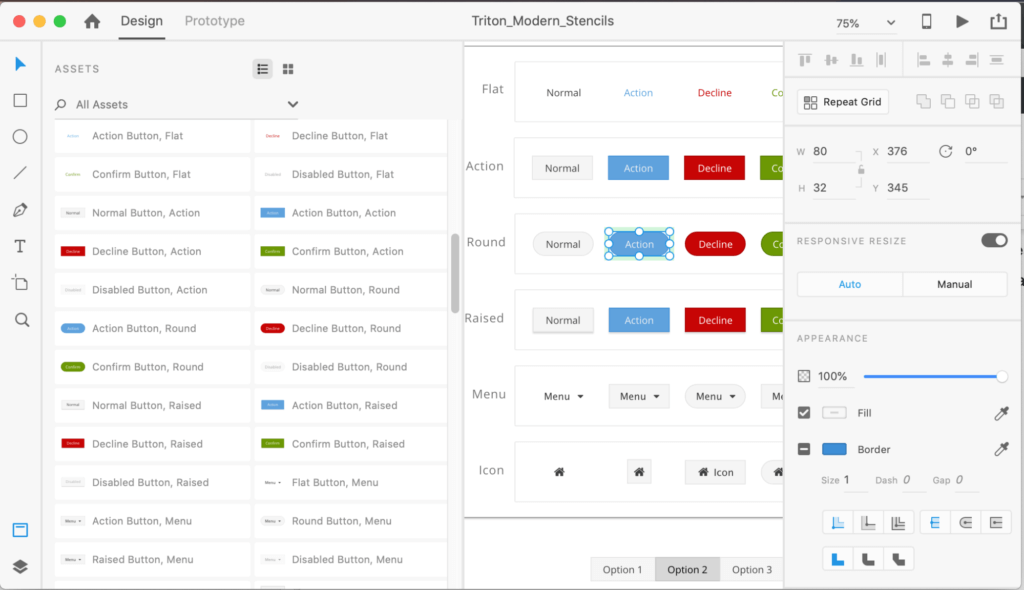
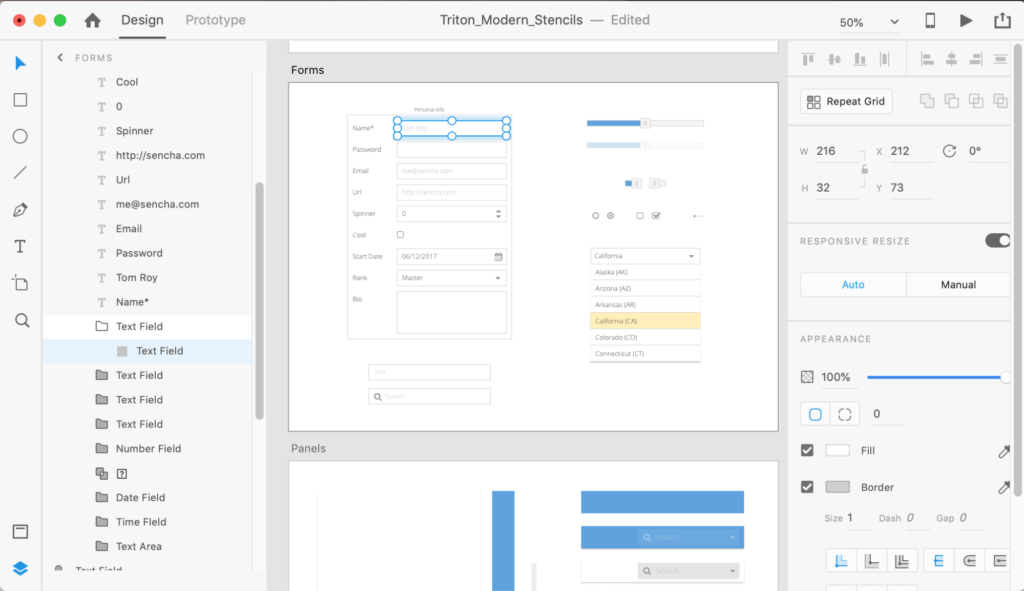
One of the most exciting updates is the new Sencha Stencils for Adobe XD. Adobe XD was built as a dedicated platform for screen design and prototyping. It was created to compete head-to-head against Sketch. Since its launch in 2015, XD adoption rate has been steadily growing. Designers who already have Adobe CC subscription or who are familiar with Adobe products choose XD over other design tools. The Design Team at Sencha wanted to provide you with the opportunity to design mockups and prototypes using XD as well.
Modern Triton XD Button Stencils
Modern Triton XD Form Stencils

Graphite Theme Support

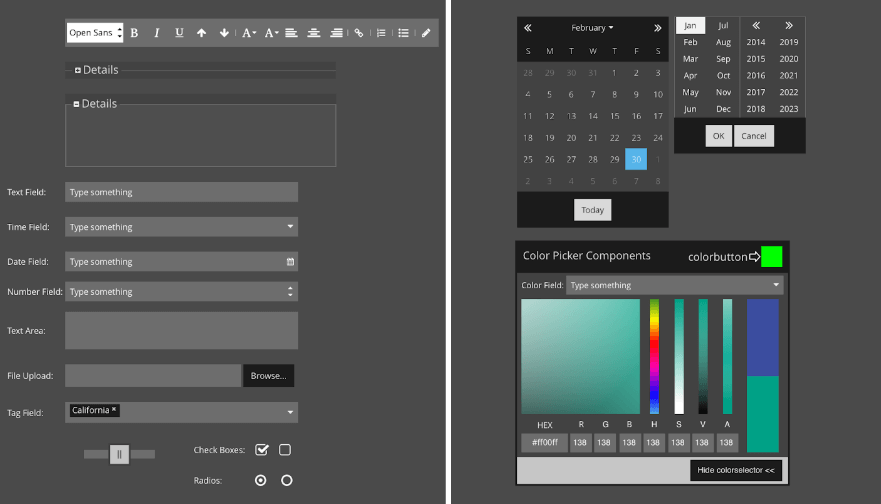
You can now easily create mockups for the new Graphite theme currently available in the Ext JS 6.6 release. The stencils supporting Graphite theme are available in Adobe Illustrator CC, Adobe Illustrator CS4, Adobe XD, Balsamiq, Sketch, SVG and PNG formats. What’s included in the theme are all of Sencha’s Classic Toolkit components and examples styled to match the Graphite theme so you can work alongside developers using pixel-perfect visual assets in your designs.
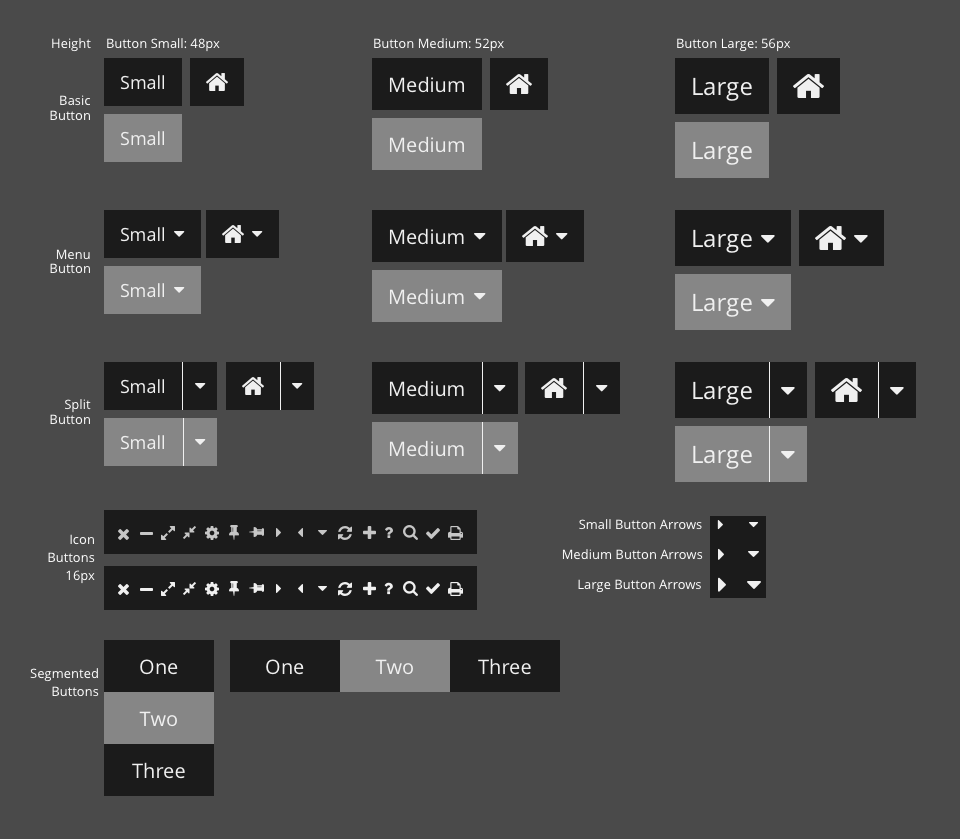
Classic Graphite Button Stencils
Classic Graphite Form Field Stencils
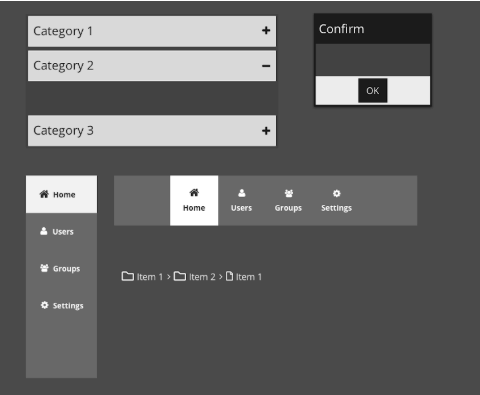
Classic Graphite Windows and Navigation Stencils
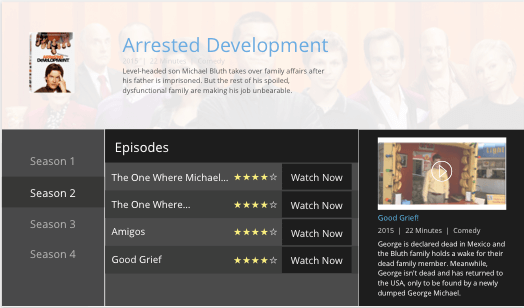
Classic Graphite Stencil Video Library Example

Introduction to ExtAngular

Introduction to ExtAngular: Early ccess
 
 
Our upcoming Ext JS 6.7 release will include an exciting new product -- Ext Angular! With ExtAngular developers can use all 115+ pre-built Ext JS components, Ext JS layout system and theming environment with the Angular framework.

Join our upcoming webinar for a preview of the new ExtAngular product and you will learn: 
  • How to incorporate ExtAngular into your existing Angular projects
  • How to integrate your apps into an Angular CLI generated project
  • How to utilize Sencha Themer to create great looking ExtAngular applications

This session will also demonstrate how to access ExtAngular as part of our Early Access program via the Early Access Sencha npm repository.
 
 
Event Details:
Date: Thursday, December 13, 2018
Time: 10am PST / 1pm EST / 6pm BST
Duration: 60 Minutes
Speaker: Marc Gusmano, Solutions Architect at Sencha

Friday, 30 November 2018

Froala into your Sencha Applications

The Froala editor is a beautiful Javascript web editor that’s easy to integrate for developers and your users will simply fall in love with its clean design. It’s so easy to add to your Javascript application by simply doing two steps. All you have to do is:
  • Follow the getting started guide and import the Froala Javascript and CSS files into your application. 
  • Invoke the Froala editor to render the editor over the textarea.
That’s it! Now it’s ready to extend it further in your web application. It supports all the popular frameworks right off the bat. Try it out and see how easy it is by implementing it in your language or framework here

Features

I get requests all the time for a more complex editor, and now we have an option with Froala. Like supporting RTL and all the popular languages, this editor scales nicely because of its high performance in complex and data rich applications. 
Check out some of these nifty features:
  • RTL & LTR support
  • Over 37 languages supported
  • Fully customizable, supports your branding
  • Render images and document image placement
  • Full page, popup, iframe editing modes and more
  • Tables support
  • 3rd party extension like the Wiris Math Editor

Wednesday, 24 October 2018

Learn How to Build Universal Applications using Ext JS 6.6 with Open Tooling starts in 1 Day


Dear Harikrishna,
This is a reminder that "Learn How to Build Universal Applications using Ext JS 6.6 with Open Tooling" will begin in 1 Day on:
Thu, Oct 25, 2018 10:30 PM - 11:30 PM IST 
Add to Calendar: Outlook® Calendar | Google Calendar™ | iCal®
Please send your questions, comments and feedback to: info@sencha.com
How to Join the Webinar
1. Click the link to join the webinar at the specified time and date:
Join Webinar
Note: This link should not be shared with others; it is unique to you.
Before joining, be sure to check system requirements to avoid any connection issues.
2. Choose one of the following audio options:
TO USE YOUR COMPUTER'S AUDIO:
When the webinar begins, you will be connected to audio using your computer's microphone and speakers (VoIP). A headset is recommended.
--OR--
TO USE YOUR TELEPHONE:
If you prefer to use your phone, you must select "Use Telephone" after joining the webinar and call in using the numbers below.
Netherlands: +31 202 251 019 
Access Code: 387-174-307
Audio PIN: Shown after joining the webinar
Calling from another country?
Webinar ID: 520-729-435 
To Cancel this Registration
If you can't attend this webinar, you may cancel your registration at any time.

Wednesday, 12 September 2018

What’s New in ExtReact 6.6

Learn What's New
in ExtReact 6.6


You’re invited to attend our upcoming webinar  and learn what’s new in ExtReact 6.6! This release includes support for the latest React framework version 16.5, including hundreds of pre-built UI components that you can easily integrate into your React 16.5 apps. ExtReact 6.6 adds new components, new theming options, new tooling, and new examples to help you create visually stunning React applications for your desktop and mobile devices.
Highlights include:
  • Support for the latest React 16.5 framework that is built on an entirely new underlying architecture, including support for the React dev tools profiler, updates to React DOM events, new scheduler and a number of bug fixes.
  • Support for Webpack 4, a static module bundler with performance improvements.
  • Support for Babel 7, a popular transpiler for JavaScript that can turn ES6 or ES7 into code that runs on your browsers and devices.
  • New ExtReact Application Generator to easily create ExtReact 6.6 based React apps.
  • New modern components - Time Panel, Time Field, and Gauges component with needles.
  • Widget cells support within grid rows to create advanced Grids that include widgets like button, progress bar, sparkline, etc.
  • Classic accessible components support along with the new beautiful accessible Graphite theme.
  • New Sencha Themer 1.3.3 support for ExtReact 6.6 apps to create customized themes for your apps.
  • Sencha Test 2.2 support for ExtReact 6.6 apps for end-to-end testing of ExtReact apps.
  • Updated Sencha Fiddle to support building ExtReact 6.6 apps.
  • Updated examples illustrating the use of REST API, TypeScript, modern components, conference app, classic components, and component kitchen sink.

Join us to see these new capabilities in action and ask your questions at our Q&A session. Can't join us live? No sweat! Register anyway and we'll send you a link to the recording afterwards. 

Webinar Details:
Date: Tuesday, September 18, 2018
Time: 10am PDT | 1pm EDT | 6pm BST
Duration: 60 Minutes

Monday, 10 September 2018

Ext JS with Open Tooling Deep Dive

Webinar: Ext JS with Open Tooling Deep Dive
We recently introduced Ext JS 6.6 with support for npm packaging and open tooling, providing JavaScript developers with exceptionally easy and familiar workflows to rapidly generate, build and update Ext JS apps. In this webinar we plan to take a deep dive into open tooling for Ex JS, including the ext-gen and ext-build tools.

Join us for this 1-hour session and you will learn: 

  • How ext-gen and ext-build work together
  • What the package.json for an open tooling app looks like
  • Several features within ext-gen, including things like verbose mode, interactive mode, and the config.json for the default parameters
  • How to use the webpack plugin to create a starter application
  • Tips on creating your own customized templates, including an overview of new templates that come with ext-gen
Webinar Details: 
Date: Tuesday, September 11, 2018
Time: 10am PDT / 1pm EDT / 6pm BST 
Duration: 60 Minutes